Live polls are an ideal way to make a rousing start to your presentation or meeting, and to get your attendees' attention right from the beginning. Of course it is not always easy to create a suitable poll which can break the ice. That's why we've collected the best poll ideas and helpful tips for you to get started!

Tips for your first icebreaker poll
- Create Polls that at least the majority of your attendees can participate in. Your audience should be interested and have an opinion on the question. Also, be sure to keep the result exciting and not to carry out too predictable polls. The icebreaker polls are most effective as an introduction to a presentation and should therefore fit to your topic as well as possible.
- Formulate the question and the answer options clear and understandable. Here, less is more! Also pay attention to the fact that the answer options should be easy to tell apart, especially in single-choice polls.
- Avoid problem areas and try to make your icebreaker poll as positive and motivating as possible.
- Make your poll more appealing by adding emoji or your own pictures, which additionally represent the answer options.
- Don't worry if you don't know your audience very well yet: You can still add new polls, even during the presentation.
Ready to conduct a poll? Choose from these four types of icebreaker polls and get started:
- Funny poll questions
- Informative icebreaker poll questions
- Communicative icebreaker poll questions
- Introductory icebreaker poll questions
Funny Icebreaker poll questions to loosen up
Lighten your audience’s mood and start with a positive first impression.
If you could have one of these superpowers, which one would you choose?
- 👀Be invisible whenever you want
- 💪🏻Superhuman Strength
- 🐶Talk to animals
- 🧠Read minds
- 🦅Be able to fly
Which Harry Potter house do you belong in?
- Gryffindor
- Slytherin
- Ravenclaw
- Hufflepuff
- I’ve never seen or read Harry Potter
If you could choose any age, to stay in for the rest of your life, which would it be?
- <10
- 10-20
- 20-30
- 30-50
- 50-70
If you could travel in time, what would you want to see?
- 🦖The past
- 🤖The future
- 🛩There is enough in the present
Have you ever…
- Had a crush on your boss?
- Peed in the swimming pool?
- Taken shampoo and conditioner from hotels?
- Told barefaced lies to your mother?
- Denied receiving work emails when in fact you did?
Informative icebreaker poll questions
Get to know your participants better and adapt your presentation accordingly.
Which languages do you speak? (multiple-choice)
- 🇬🇧English
- 🇩🇪German
- 🇪🇸Spanish
- 🇫🇷French
- 🇨🇳Chinese
- 🇷🇺Russian
- 🏳Others
What’s your level of understanding of the topic?
- 🧢I’m completely green
- 🤓I have some basic knowledge
- 🎓I have solid background
- 🧠I’m an expert

What is your current role?
- Marketing
- IT
- Business Development
- Technical Development
- Sales
- Accounting
- Finance
- Other
How old are you?
- <18
- 18-24
- 25-34
- 35-44
- 45-54
- 55-64
- >64
Which technology trend will have the greatest impact on our industry over the next year?
- Internet of Things and smart home tech
- Augmented reality (AR) and virtual reality (VR)
- Machine learning
- Artificial Intelligence (AI)
- Big Data
How did you get here?
- 🚗By car
- 🚆By train
- 🚲By bike
- 🚶🏻By foot
- 🛩By airplane
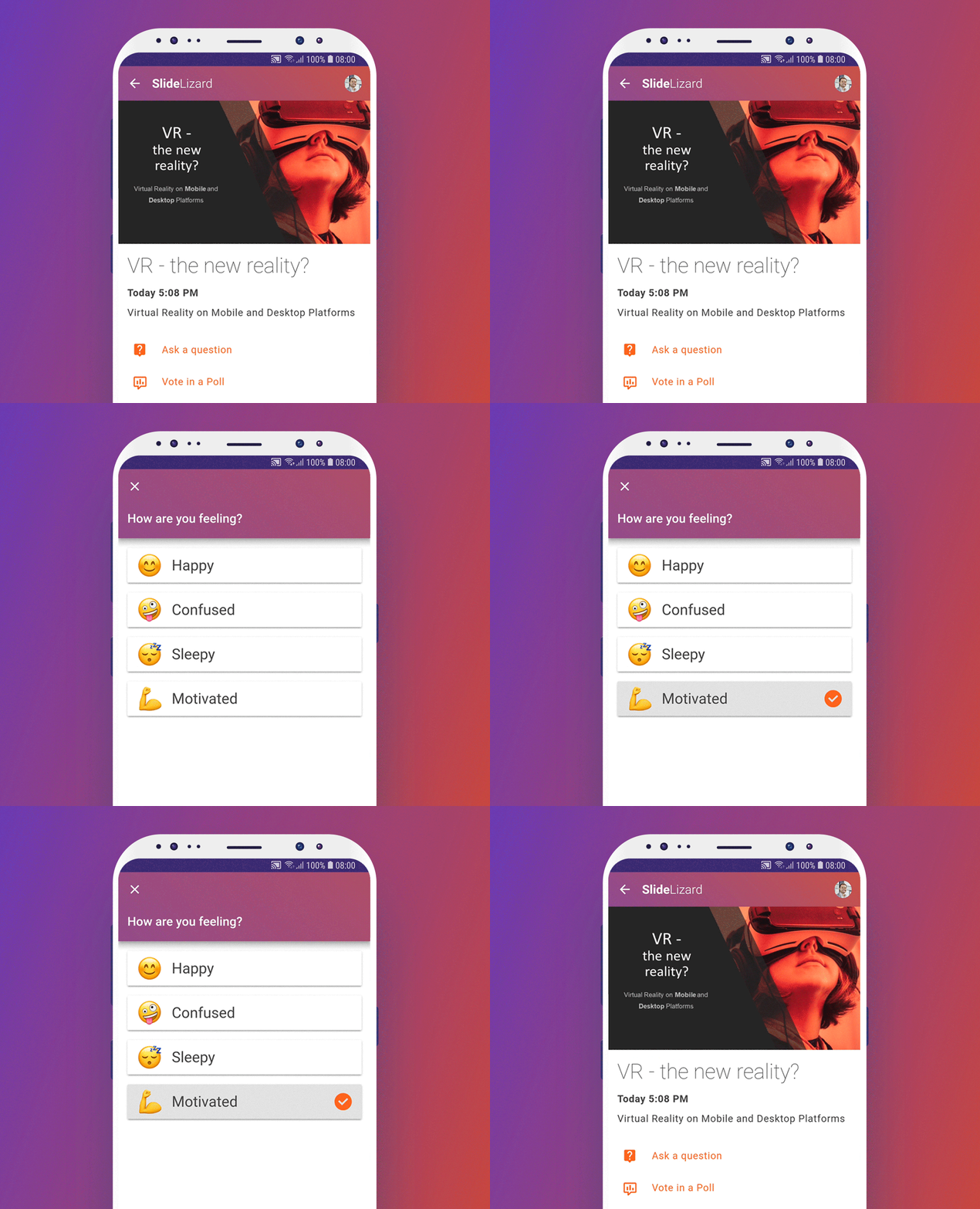
How are you feeling?
- 😊Happy
- 🤪Confused
- 😴Sleepy
- 💪Motivated
Describe your mood today
- ☀Sunshine
- ⛅Cloudy
- 🌧Rainy
- ⛈Thundery
- 🌈Rainbow
Why did you decide to join this event today?
- Knowledge building
- Speaker line-up
- Networking opportunities
- My boss made me

Communicative icebreaker polls
Take the chance to get your participants, of small as well as large groups, in touch witch each other, for example in preparation for a workshop.
I’d like to meet someone from…
- Marketing
- Sales
- Production
I know…
- The person at my left
- The person at my right
- Both people next to me
- None of the people next to me yet
I believe/know that the person to my left… (multiple choice)
- Loves to read
- Works in a big company
- Has studied a year abroad
- Has children
- Likes to do crossword puzzles
- …
Create a poll to find out how well your participants already know each other. After that, according to the outcome of your poll, ask them to get to know each other.
Introductory icebreaker polls
Use live polls to introduce yourself or your company in a fun and engaging way. Prepare a few true statements about yourself, add some lies, then let your participants vote for the answer they believe to be true.
Examples:
Which statement is true?
- I’ve been working in this sector for more than 10 years
- I’m color-blind
- I speak three languages
Which statement is true?
- In the last year our company’s sales increased by 10%
- At the time our Company was founded, it had a different name
- Our company has five locations for distribution in Germany
If you want to speed things up, you can rephrase the question like this:
Which of the following statements are true? (multiple-choice)
- I’ve been working in this sector for more than 10 years
- I’m color-blind
- I speak three languages
- …
SlideLizard Templates
But wait! There is no need to remember all the cool poll ideas. SlideLizard is the best tool to conduct interactive surveys in your presentation. Moreover, it has already a lot of useful poll templates directly built in. Try SlideLizard for free.
Here is how you can use them in your presentations:
- In the SlideLizard Plugin click on Polls in the menu
- Click on Create from Template
- Choose one of the templates
- Optionally adapt the question or the answers to your presentation


